Managing WooCommerce stores for clients comes with its own pressure. Pages need to load quickly, stores must stay secure, and traffic spikes should never slow things down. When something breaks, it usually lands on the agency’s plate, which makes choosing the right host one of the most important decisions you make for a client project.
The challenge is that the “best” host isn’t always the most expensive one. Agencies often look for hosting that offers speed, uptime, security, and features that genuinely simplify daily tasks.
Ten WooCommerce hosting providers who maintain a balance between price and performance are covered in this guide, making them practical options for agency clients. They include managed cloud platforms, optimized WordPress hosts, and a few budget-friendly choices that still hold up under pressure. The goal is to help you match the right host with the right type of store.
Before getting into the list, here is a quick way to define value in WooCommerce hosting for agencies:
A good value WooCommerce host gives you a mix of:
- Strong performance and consistent uptime
- Easy scalability during busy periods
- Automated backups and security
- Tools that improve agency workflows
- Transparent pricing
- Support teams familiar with WooCommerce
- Less time spent on maintenance
With WooCommerce powering a significant share of online stores, agencies require hosting partners that help them maintain stable and profitable sites without eroding their margins. Many providers are also giving managed WooCommerce hosting options, which is ideal for smaller businesses with no in-house tech teams.
Let’s look at the top options.
Cloudways
Cloudways works well for agencies because it gives cloud performance without the hassle of server upkeep. You choose the cloud provider. Cloudways handles the technical side.
What agencies usually like about it
- You can host several WooCommerce stores from one dashboard.
- Resources can be increased quickly when a store needs more power.
- The pay-as-you-go setup keeps costs predictable for client projects.
- Good for clients with traffic swings or rapid growth.
- You can use WooCommerce REST API to manage the store to reduce manual work.
Performance setup
- Built-in caching: Varnish, Redis, Memcached, PHP-FPM
- Free SSL
- Optional CDN
- Dedicated firewalls
- Automated backups
These features help keep stores fast even when the catalog size grows.
The platform takes care of server updates, security fixes, and performance tuning. Agencies do not need to step in for basic maintenance. The majority of the work is done automatically.
Pricing
Cloudways plans range from $11 to $14/m, depending on the cloud provider selected. There are no long-term commitments.
SiteGround
SiteGround stands out for agencies thanks to strong support and a user-friendly dashboard. It’s optimized for WooCommerce performance and reliability, running on Google Cloud infrastructure.
Why agencies like it
- Free SSL certificates for every site
- Automated daily backups
- Built-in CDN for faster page loads
- Advanced security features to protect stores
- Simple Site Tools dashboard that works for beginners but still allows advanced configuration
Pricing starts around $3.99 per month.
Hostinger
Hostinger delivers affordable WooCommerce hosting without sacrificing essential performance. It’s ideal for smaller agencies, startups, or teams managing clients on a budget.
Key features
- Free SSL certificates included
- NVMe storage for better speed
- AI tools for managing websites
- One-click WordPress + WooCommerce setup
- 24/7 support
- Beginner-friendly hPanel dashboard
Hostinger performs well for smaller stores, but entry-level plans may have limits on resources. High-traffic stores should consider higher-tier options.
Kinsta
Kinsta is a premium managed WordPress and WooCommerce host running on Google Cloud C2 machines. It’s designed for high-traffic stores where performance and uptime matter most.
Why agencies choose it:
- 99.99% uptime
- Automatic scaling during traffic spikes
- Server-level caching for faster load times
- CDN integration and free SSL
- Malware protection and daily automated backups
- Staging environments and the MyKinsta dashboard
- WooCommerce-trained support for troubleshooting
Kinsta is often ranked among the top performers for uptime and load speed. Its starts from $35/month.
Bluehost
Bluehost is a familiar name and an officially recommended WordPress host. Its WooCommerce hosting makes setup simple and provides a reliable environment for client stores.
Key features
- WooCommerce-specific store builder tools
- Free domain for the first year
- Free SSL certificate
- NVMe storage for better performance
- Marketing tools and ready-made templates
- 24/7 support
Pricing starts around $3.99 per month, offering a dependable option for small to large stores. For agencies evaluating multiple providers, Bluehost consistently ranks among the best hosting for WooCommerce due to its combination of WordPress optimization, straightforward setup process, and reliable performance across varying store sizes. The platform handles traffic fluctuations well and integrates seamlessly with essential WooCommerce plugins, reducing the technical overhead agencies typically encounter when onboarding new client stores.
DreamHost

DreamHost delivers managed WooCommerce hosting focused on speed, security, and consistent uptime. Its features are built to give agencies a predictable, easy-to-manage environment.
Key features
- Unlimited bandwidth
- Built-in CDN for faster content delivery
- Object caching for improved site speed
- Automated daily backups
- Free SSL certificate
- Malware and bot protection
- 24/7 WordPress support
Starting at $2.99 per month,
WP Engine
WP Engine is a premium managed WordPress host built for performance, scalability, and developer-friendly workflows.
Key features
- Enterprise-grade infrastructure
- Global CDN for faster content delivery
- Premium WordPress themes included
- Automatic updates
- Daily backups
- Staging environments for testing
- WooCommerce-trained expert support
- Strong performance metrics
Plans start around $50 per month.
Nexcess
Nexcess specializes in managed WooCommerce hosting designed for e-commerce and agency workflows. It stands out with built-in auto-scaling and advanced performance monitoring.
Key features
- High store limits (up to 5 sites on some plans)
- 40GB storage / 3TB bandwidth
- Premium WooCommerce plugins included
- Visual regression testing
- Performance monitoring
- Daily backups
- Responsive support
Intro Pricing starts from $5 per month..
Hosting.com (formerly A2 Hosting)
Hosting.com suits smaller agencies and new WooCommerce projects, offering speed-focused hosting at a budget-friendly rate.
Key features
- Turbo servers for faster load time
- Unlimited bandwidth and storage
- Free SSL certificate
- Developer tools including SSH, Git, WP-CLI
- 24/7 support
Pricing starts from $1.99/m. It may lack some advanced onboarding features and workflow tools.
InMotion Hosting
InMotion Hosting offers agencies a combination of reliable performance, robust security, and scalability options, including shared, VPS, and managed WordPress hosting.
Key features
- Free domain and SSL
- NVMe storage for faster speeds
- Advanced caching
- Malware protection
- WooCommerce optimization
- 24/7 support
Plans begin at $14.99 per month, making it a practical choice for agencies with clients who are scaling gradually.
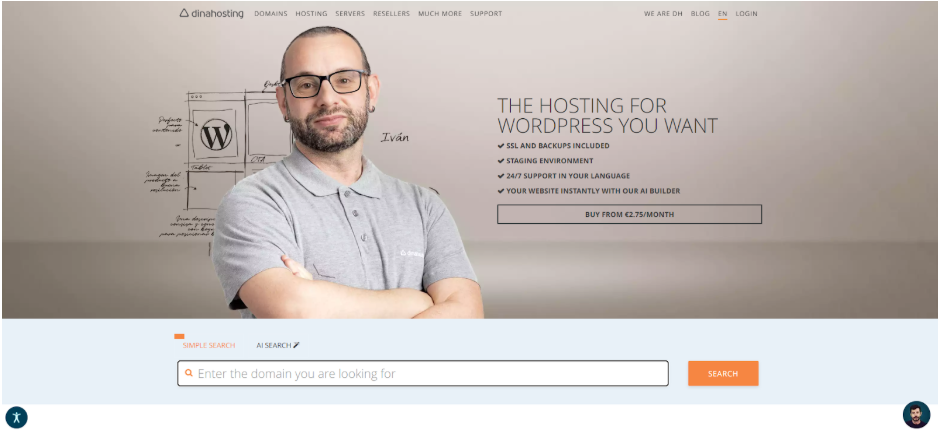
Fast, secure hosting designed to help you achieve your goals with your WooCommerce store. With over 20 years of experience, they deliver the stability and reliability you need to build a strong foundation for any project.
Key features
- Scalable hosting plans at the best price
- AI tools to create your store instantly
- Free SSL certificate
- With ultra-fast NVMe disks
- Daily backups and antivirus included
- Free 24/7 support in your language
Start creating your online store at Dinahosting from €2.75/month
Quick Overview
|
Host
|
Starting Price
|
Multi-Site
|
Staging
|
Plugin Flexibility
|
Security
|
CDN
|
|
Cloudways
|
$11–$14
|
Yes
|
Yes
|
Full
|
Yes
|
Optional
|
|
SiteGround
|
$3.99
|
Yes
|
Yes
|
Full
|
Yes
|
Yes
|
|
Hostinger
|
$12.95
|
Limited
|
Yes
|
Full
|
Yes
|
Optional
|
|
Kinsta
|
$35
|
Yes
|
Yes
|
Full
|
Yes
|
Yes
|
|
Bluehost
|
$3.99
|
Yes
|
Yes
|
Full
|
Yes
|
Optional
|
|
DreamHost
|
$2.99
|
Yes
|
Yes
|
Full
|
Yes
|
Yes
|
|
WP Engine
|
$50
|
Yes
|
Yes
|
Full
|
Yes
|
Yes
|
|
Nexcess
|
$5
|
Yes
|
Yes
|
Full
|
Yes
|
Yes
|
|
Hosting.com
|
$1.99
|
Limited
|
Yes
|
Full
|
Yes
|
Optional
|
|
InMotion
|
$14.99
|
Yes
|
Yes
|
Full
|
Yes
|
Optional
|
How Agencies Can Choose the Best WooCommerce Hosting
A good hosting choice starts with the client’s store. At this stage, many agencies also hire WooCommerce developers to align hosting decisions with the store’s technical requirements and growth plans. Consider the expected traffic, catalog size, and the number of plugins the site relies on. These details usually point you toward the right plan.
Performance is the next factor. Some hosts remain stable under load, while others slow down when traffic increases. Agencies running promotions or high-growth stores should prioritize this. Not all WooCommerce hosting providers are built the same. Consider those that are optimized specifically for WooCommerce with features like automatic cache clearing, built-in tools, and even integration with a proxy server to help manage traffic and improve load times.
Support matters more than most people expect. WooCommerce issues are common, and having a team that understands the platform can save a significant amount of time. Businesses that rely on data-driven operations may also need tools that integrate WooCommerce with Google Sheets, allowing sales, inventory, and customer information to sync automatically for easier reporting and management.
Costs should be viewed long-term, not just at the introductory price. Renewal rates, storage limits, and upgrade triggers can change the value of a plan once the site grows.
Finally, check workflow and security. Staging sites, backups, and basic developer tools help agencies work faster. Solid security reduces emergency calls and protects client stores. Features like malware and bot detection are essential, as they help safeguard websites from malicious traffic and automated attacks while maintaining performance and uptime.
Written by DesignCrowd on Friday, December 19, 2025
DesignCrowd is an online marketplace providing logo, website, print and graphic design services by providing access to freelance graphic designers and design studios around the world.
